
Automatic online activation with LSN number
- To activate Urbano automatically, over the Internet, install it as described in Short instructions, then run it with special shortcut that appears on the Desktop:

- Urbano will be loaded inside of AutoCAD / Civil3D / MAP. Urbano Workspace (main window) will appear on the left, Urbano table on the bottom of the screen, and Urbano Ribbons on the top.
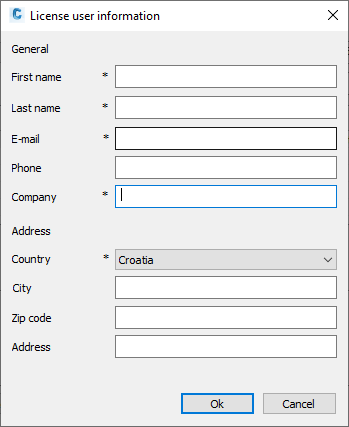
- It is possible that following window will appear, where the user must enter the data marked with asterisk sign (*) – without this data, activation will not be possible:
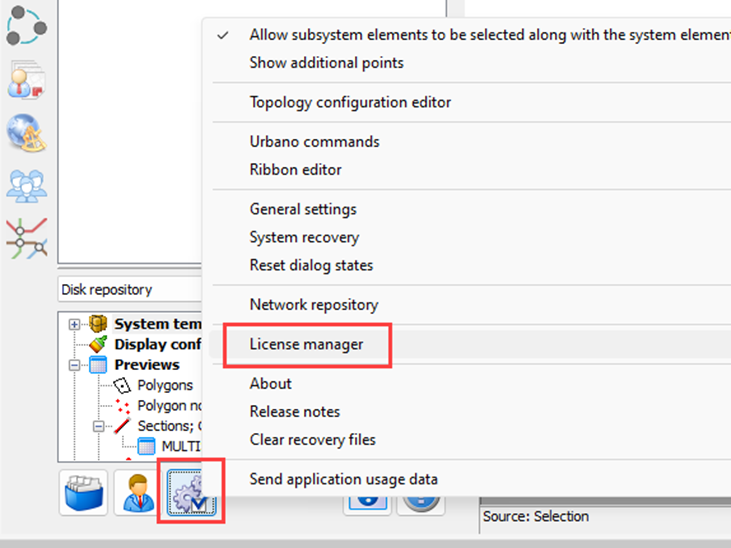
- Run wheels button to reach License Manager to activate the program:
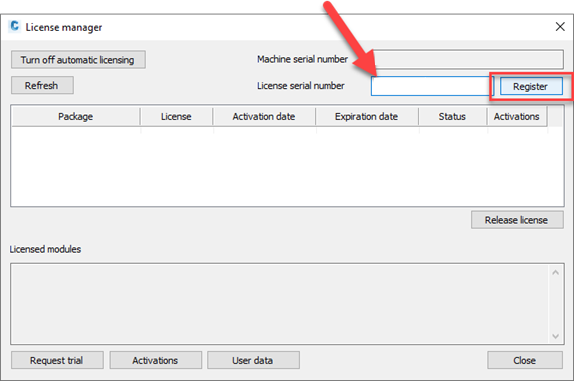
- This window will appear – enter LSN (provided by StudioARS or another company that you purchased Urbano from) into this “License serial number” box, then click on REGISTER button:
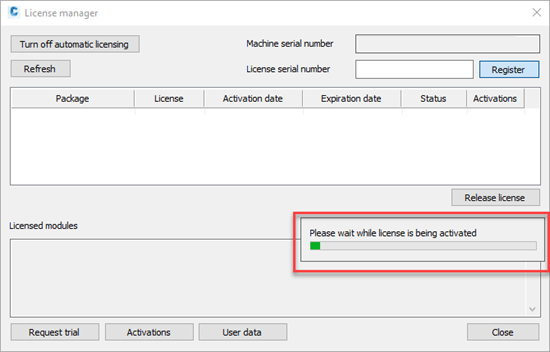
- Wait until the license activates over the Internet:
After few moments, program will show the message whether the activation was successful:
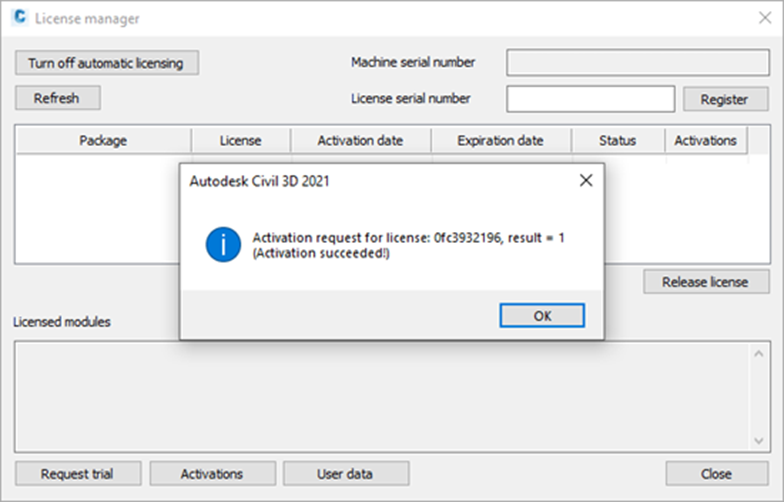
- Restart Urbano. After restart, Workspace will be active and you will be able to use the commands.
In case that the activation is not successfull, contact StudioARS support service by e-mail: support@studioars.hr or by phone +385 51 273 570.
How to use LSN with multiple computers
If it is necessary for multiple users to use the software (but not at the same time), it is possible to de-activate the software on one computer and activate it on another. The user that activated the software must release LSN, so that the other would be able to use it.
- To release the license, open License manager:
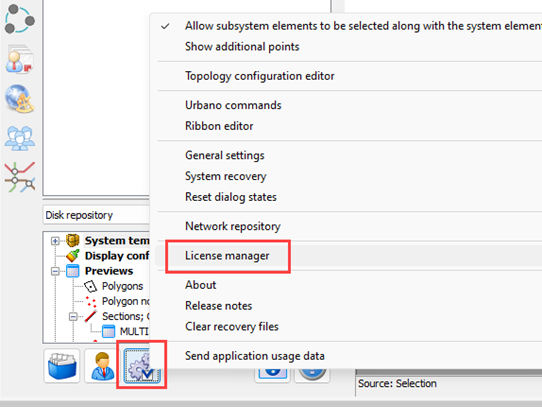
- Select the license and click button RELEASE LICENSE:
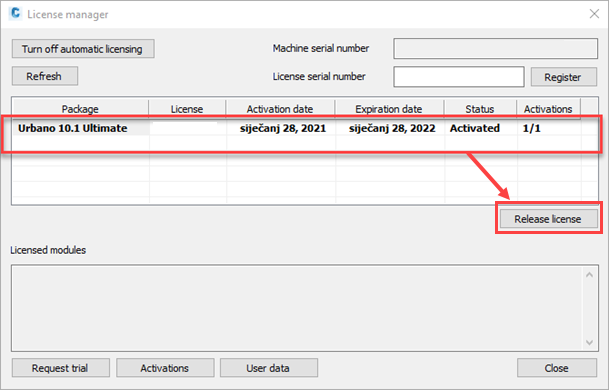
License will be de-activated, so another user will be able to activate it on their computer.
Number of activations and releases is unlimited, which means that it is possible to activate and release thelicense at any moment, on any computer, multiple times a day. It is necessary only to agree with the colleagues about it.
Was this article helpful?
That’s Great!
Thank you for your feedback
Sorry! We couldn't be helpful
Thank you for your feedback
Feedback sent
We appreciate your effort and will try to fix the article