

Urbano 10.2
ONLINE LICENSE activation

How to activate Urbano automatically over the Internet?
- Before you can activate the program, install it as described in Short installation instructions. Run Urbano with the Desktop shortcut:

- Urbano will be loaded inside of AutoCAD / Civil3D / MAP. The Urbano Workspace will appear on the left, Urbano table on the bottom of the screen, and Urbano Ribbons on the top.
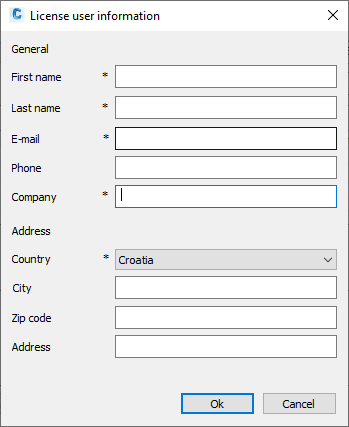
- It is possible that the following window will appear, where the user must enter the data marked with asterisk sign (*) – without this data, activation will not be possible:
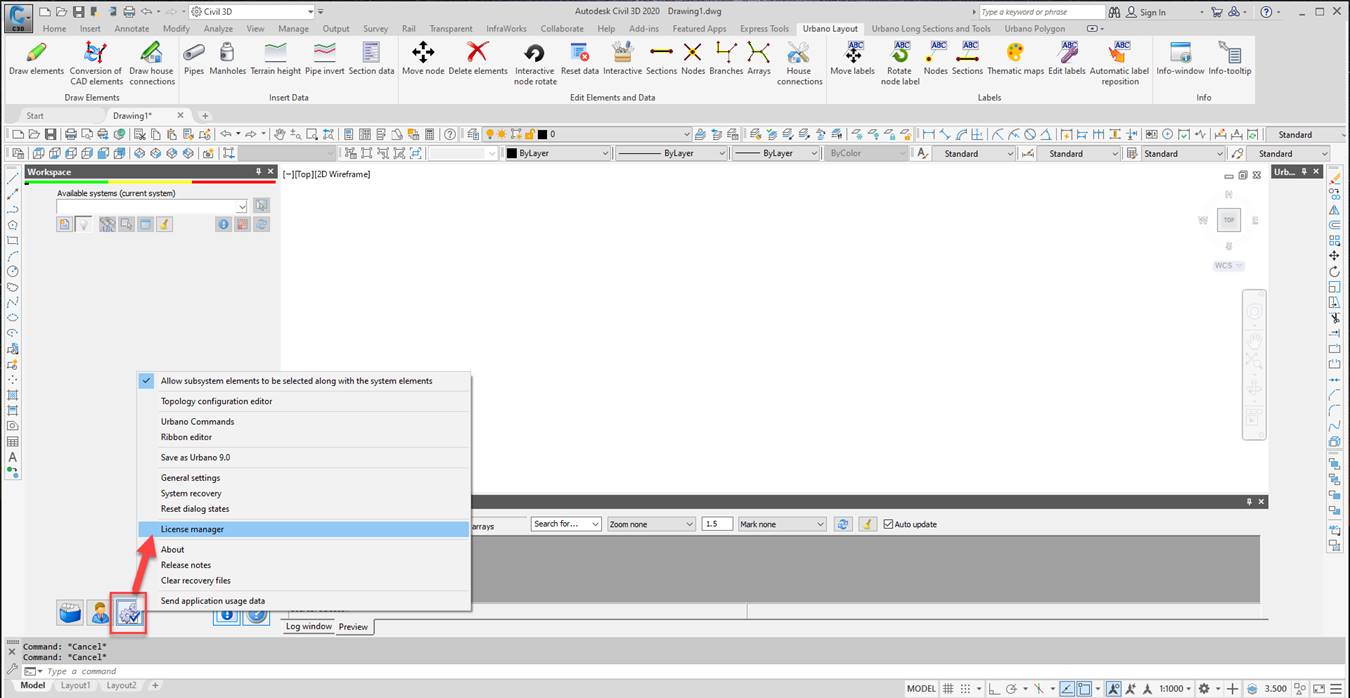
- Run gears button to reach License Manager:
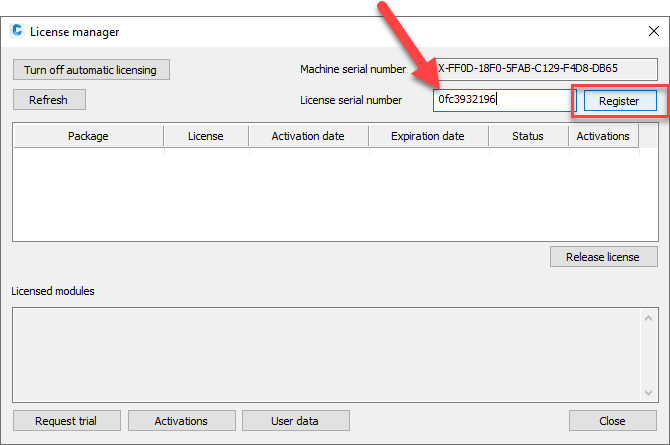
- This window will appear – enter the license serial number (LSN) provided by StudioARS or a StudioARS partner into the “License serial number” box, then click the REGISTER button:
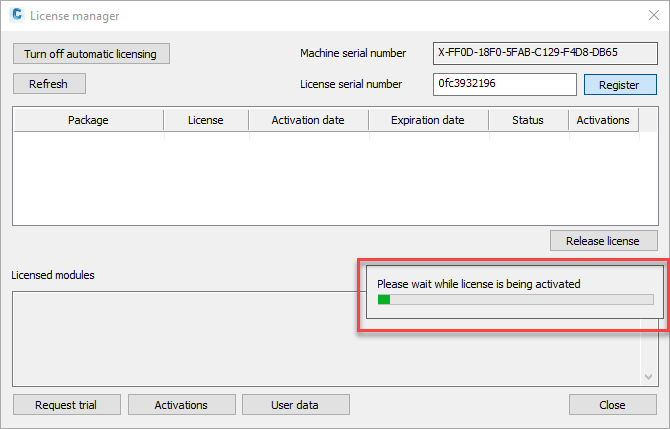
- Wait until the license activates over the Internet:
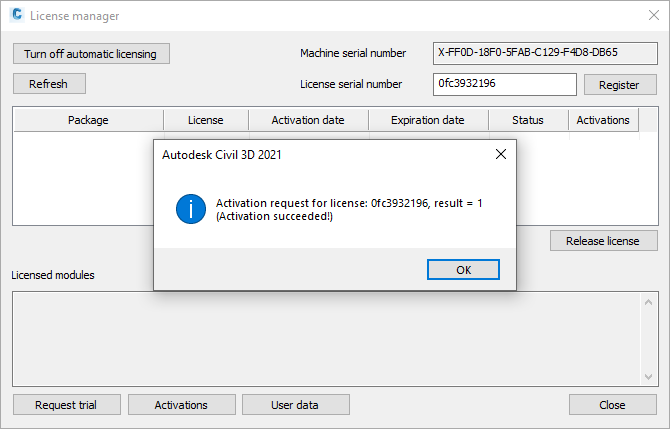
- After few moments and if all went well, the program will show a confirmation message:
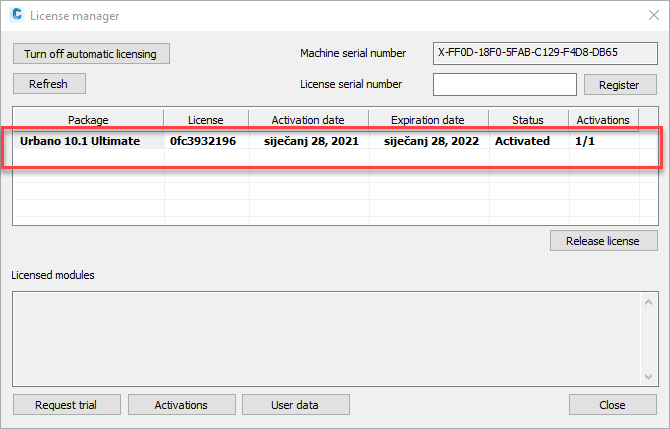
The license information will appear in the same window – software version, package, activation and expiration date and number of used / available activations:
- Restart Urbano. After restart, the Workspace will be active, and you will be able to use the commands.
For all questions contact sales@studioars.hr
Was this article helpful?
That’s Great!
Thank you for your feedback
Sorry! We couldn't be helpful
Thank you for your feedback
Feedback sent
We appreciate your effort and will try to fix the article