Sometimes you want to import a surface from Autodesk Civil 3D to Urbano that runs on plain AutoCAD.
It is possible to import C3D surface to Urbano by using LandXML import option:
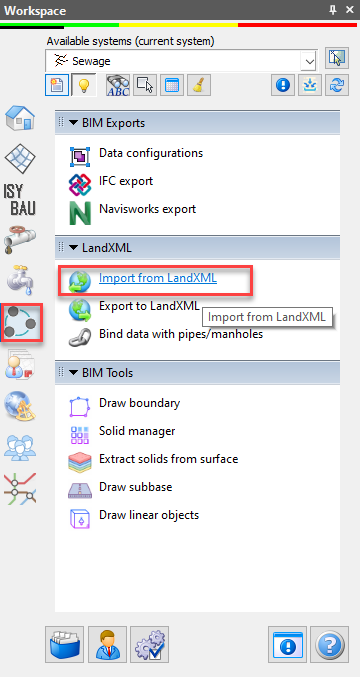
This function will bring the surface to Terraform. However, if the surface is complex has many break points and boundaries (holes in the surface), it is possible that the surface will not be 100% same as Civil 3D suface, since Urbano Terraform module for the surface creation has LESS options for surface editing than Civil 3D.
That is why for such cases we added another possibility how you can use Civil 3D surface in Urbano that runs on AutoCAD – You can open the drawing, and if the triangles are shown, you can EXPLODE the surface once, and one more time.Then, you will get the triangles – 3Dface elements. You can use them with Urbano by defining „3Dface surface“ with this function:
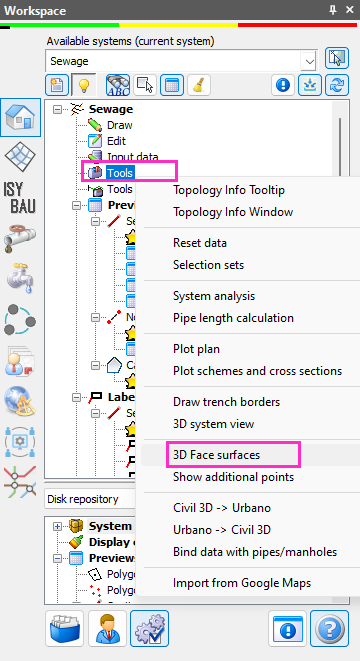
This window will appear:
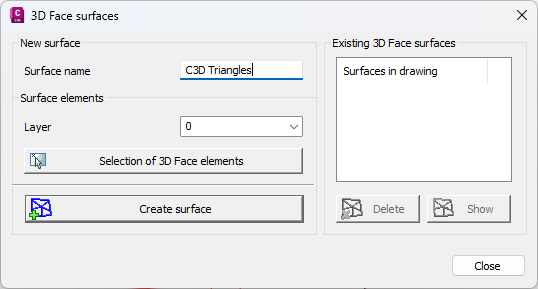
Define surface name, select the layer from the list (the one that contains the triangles) and then click on the button SELECTION OF 3D FACE ELEMENTS. Select them all with standard CAD selection (rectangle or lasso) and click CREATE SURFACE. Program will say that the surface is created, and then the surface will appear on the right (in the white window).
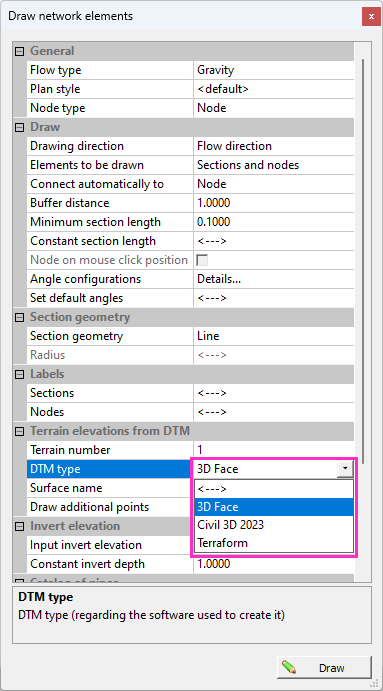
Then you will be able to use it in all functions where the elevations can be defined.
When drawing the network:
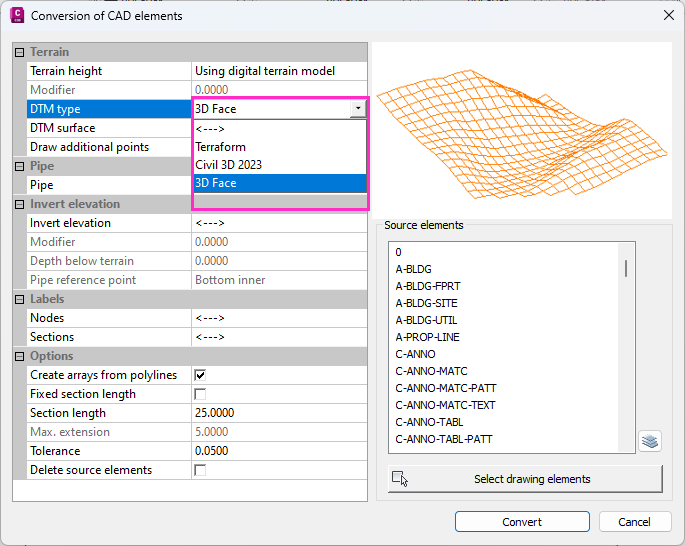
When converting CAD elements to Urbano network:
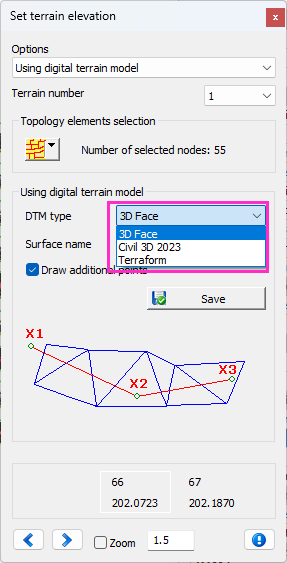
When assigning terrain elevations to elements:
Was this article helpful?
That’s Great!
Thank you for your feedback
Sorry! We couldn't be helpful
Thank you for your feedback
Feedback sent
We appreciate your effort and will try to fix the article